Copilot code review picks its own effort level and flags leaked secrets, in preview
A GitHub update lets Copilot choose Lite, Balanced or Max review depth per pull request, scans for exposed secrets before merge, and takes Azure DevOps review to general availability.
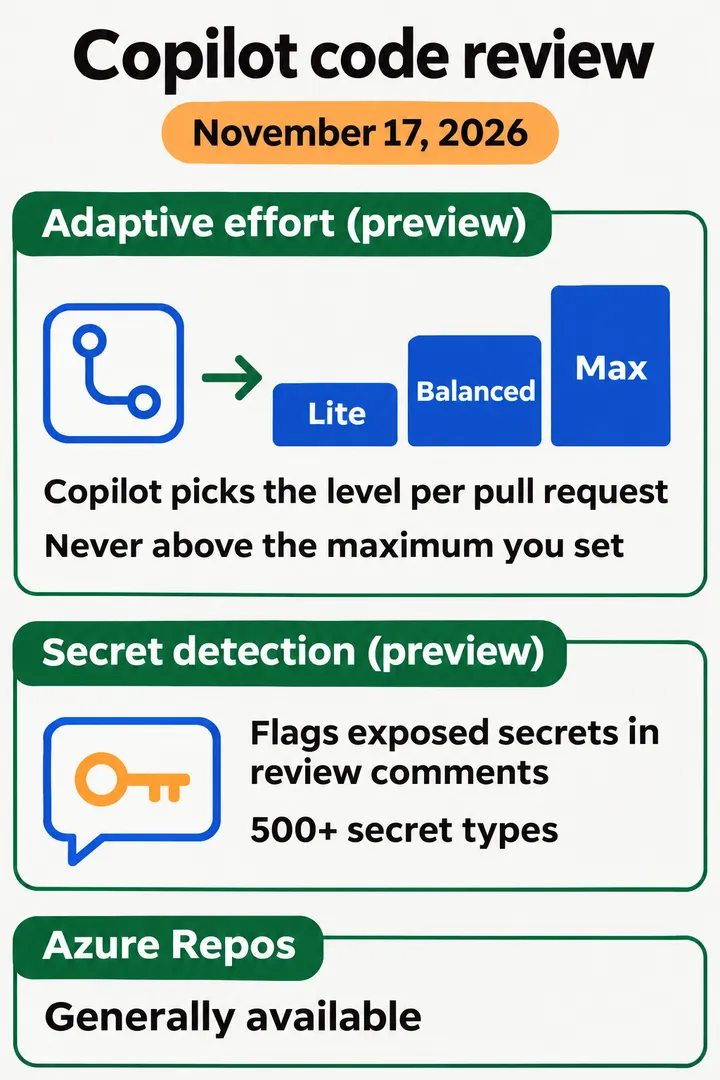
GitHub announced on November 17, 2026 that Copilot code review can now choose how deeply to review each pull request, and can flag exposed secrets in its review comments before a merge. Both features, plus cross-repository context, are in public preview for Copilot Pro, Pro+, Max, Business and Enterprise. Copilot code review for Azure Repos moved from public preview to general availability on the same day.
The facts
- Adaptive review effort (public preview): Copilot picks Lite, Balanced or Max per pull request, based on its complexity and risk, and each review shows the level it chose. GitHub states that “Adaptive never picks a level above the maximum review effort level set for your enterprise, organization, or repository.” Balanced remains the default; you select Adaptive from the Reviewers bar on one pull request or set it as the default in personal, repository, organization or enterprise settings.
- Secret detection (public preview): Copilot flags exposed secrets in review comments. GitHub says it detects more than 500 secret types with deterministic methods such as regex, working with more than 150 technology partners, and uses language models and its own purpose-built model for secrets that have no recognizable format. You turn it on under Copilot, then Code review, in repository or organization settings.
- Cross-repository context (public preview): reviews can read related public repositories to find dependent code, documentation, and custom instructions or skills. In this preview it covers public repositories.
- Repository insights: the Insights tab shows how Copilot review feedback is handled in a repository, visible to anyone with read access.
- Azure DevOps (generally available): admins enable it at organization, project and repository level, then add a branch policy for automatic reviews or request one from the Reviewers list. A project or repository default can be Lite or Balanced; a single review can use a different level. Usage is billed in GitHub AI credits to the Azure subscription linked to your Azure DevOps organization.
What it means for builders
Analysis: the effort ceiling is the control to look at first. Adaptive can only choose levels up to the maximum your enterprise, organization or repository allows, so a team that wants cheap reviews by default but deep ones on risky changes sets the ceiling high and lets Adaptive decide, while a team watching spend sets it low. Because each review states the level it picked, you can check after a few weeks whether the choices match how you would have labeled your own pull requests.
Secret detection in review is an extra net, not a replacement for scanning that runs on push. Anything Copilot flags arrives as a review comment, so it helps only if reviews run on the pull request before merge. Teams on Azure DevOps should note the billing route before enabling it widely: charges land on the Azure subscription, where budget alerts can be set in Azure Cost Management.
Not stated in the source
Prices for the GitHub-hosted features, how accurate secret detection is (false positive and miss rates), how Adaptive weighs “complexity and risk”, and when the preview features will reach general availability. We did not run the features ourselves.